
Users: Prevailing Wage Information
For Users whose hours will be tracked for Prevailing Wage compliance, additional information must be added to their profile. This guide explains what is required and provides instructions on how to enter it.
Table of Contents
- Navigate to a User's Prevailing Wage Information Section
- How to Add Required Prevailing Wage Information
Navigate to a User's Prevailing Wage Information Section
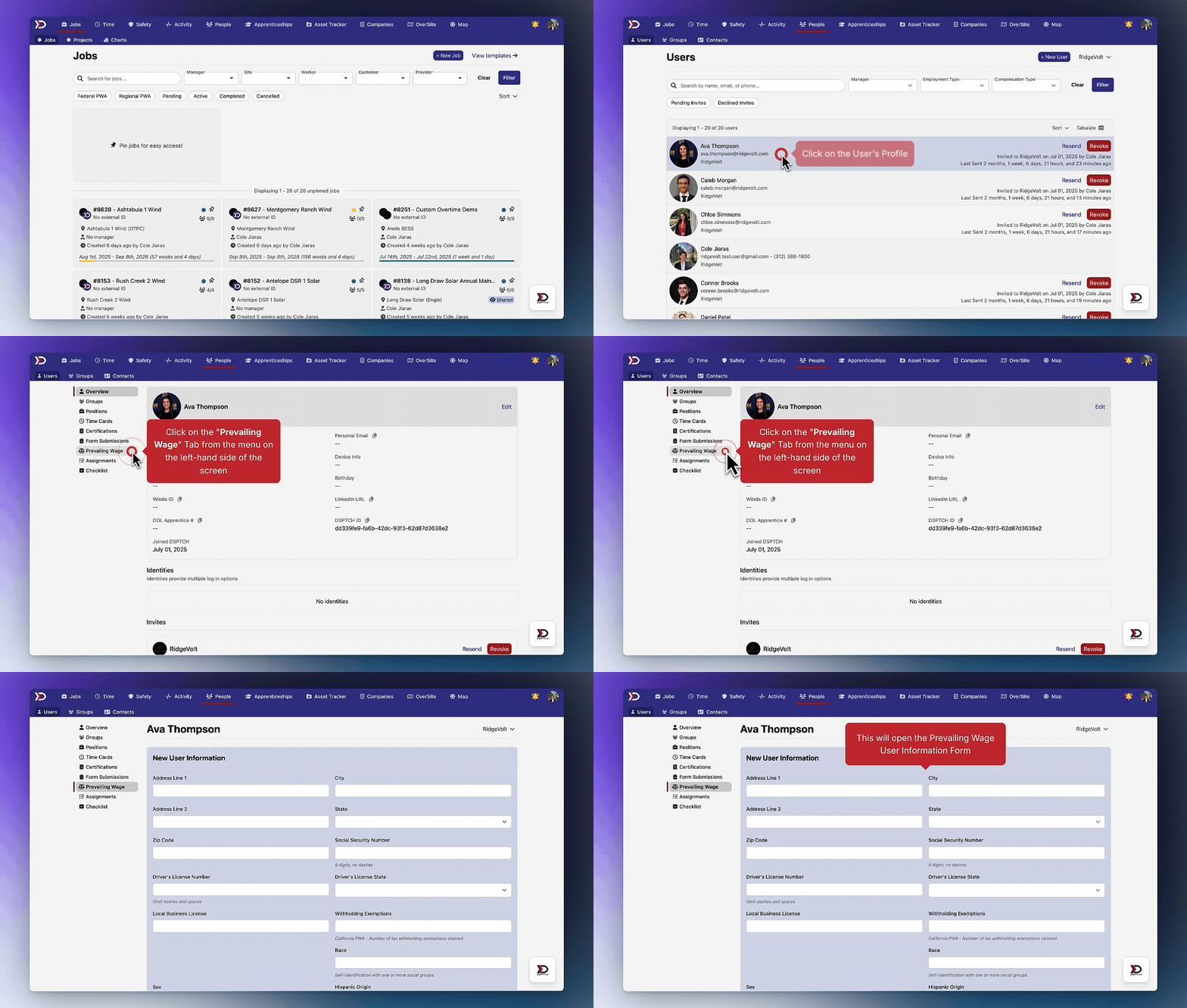
Start by clicking on the People Tab from the main navigation bar at the top of the screen. Then, click on the relevant User's Profile. Next, click the "Prevailing Wage" Tab from the menu on the left-hand side of the screen. Lastly, click the "+ Add User Information" Button in the middle of the screen.
This will open the Prevailing Wage User Information Form.
Please see the video below for a demonstration:
How to Add Required Prevailing Wage Information
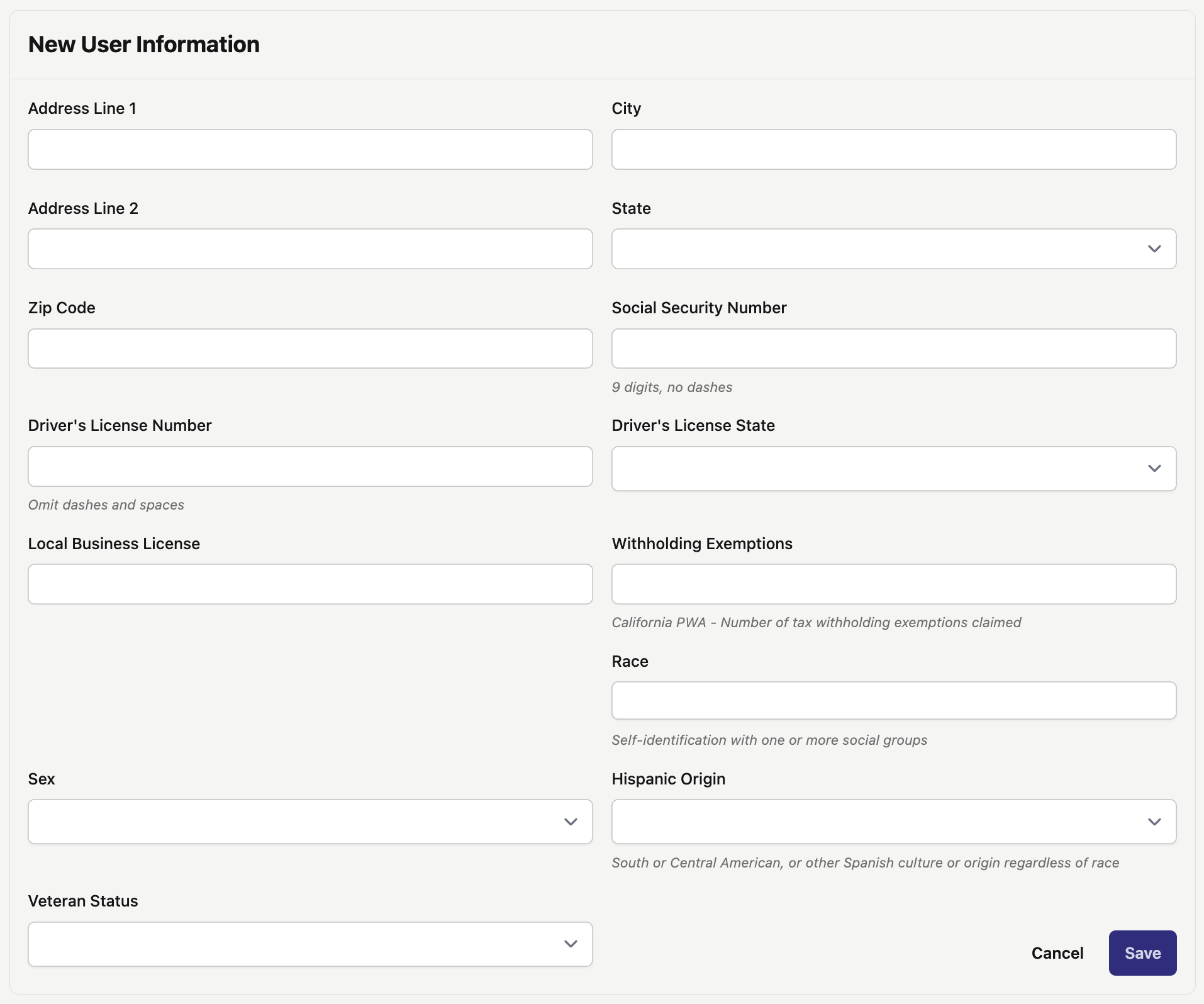
There are several required fields in the Prevailing Wage User Information Form (pictured below):
- Address Line 1 (Required):
- The primary address line of the User's residence.
- Address Line 2 (Optional):
- The secondary address line of the User's residence.
- City (Required):
- The city where the User's residence is located.
- State (Required):
- The state where the User's residence is located.
- Zip Code (Required):
- The zip code where the User's residence is located.
- Social Security Number (Optional):
- The User's social security number.
- Driver's License Number (Optional):
- The User's driver's license number.
- Driver's License State (Optional):
- The state that issued the User’s driver’s license.
- Local Business License (Optional):
- The local business license of a User.
- Withholding Exemptions (Optional):
- Only relevant for California PWA. This is the number of tax withholding exemptions claimed for the User.
- Race (Required):
- The User's self-identification with one or more social groups.
- Options include:
- African American
- Asian
- Caucasian
- Native American
- Not Specified
- Other
- Sex (Required):
- The User's sex:
- Options include:
- Female
- Male
- Not Specified
- Hispanic Origin (Required):
- Whether the User is of South or Central American origin, or of another Spanish culture or origin, regardless of race.
- Options include:
- Yes
- No
- Not Specified
- Veteran Status (Required):
- Whether the User is a veteran.
- Options include:
- Yes
- No
- Not Specified
Please fill out all of the required fields and then click "Save".